Why 3D Printing Is the Most Accessible Maker Technology Ever
Three years ago, 3D printing was a niche hobby for engineers and hobbyists who could afford $1,000+ machines and spend hours troubleshooting. Today, that’s completely changed. The best 3D printers for beginners cost under $300, come fully assembled out of the box, and can produce professional-quality prints with zero experience.
Whether you’re looking to create custom parts for your home, make gifts for loved ones, or explore a new creative outlet, 2026 is the perfect time to start. I’ve tested dozens of 3D printers over the years and here are my top picks for beginners who want reliable, frustration-free printing.
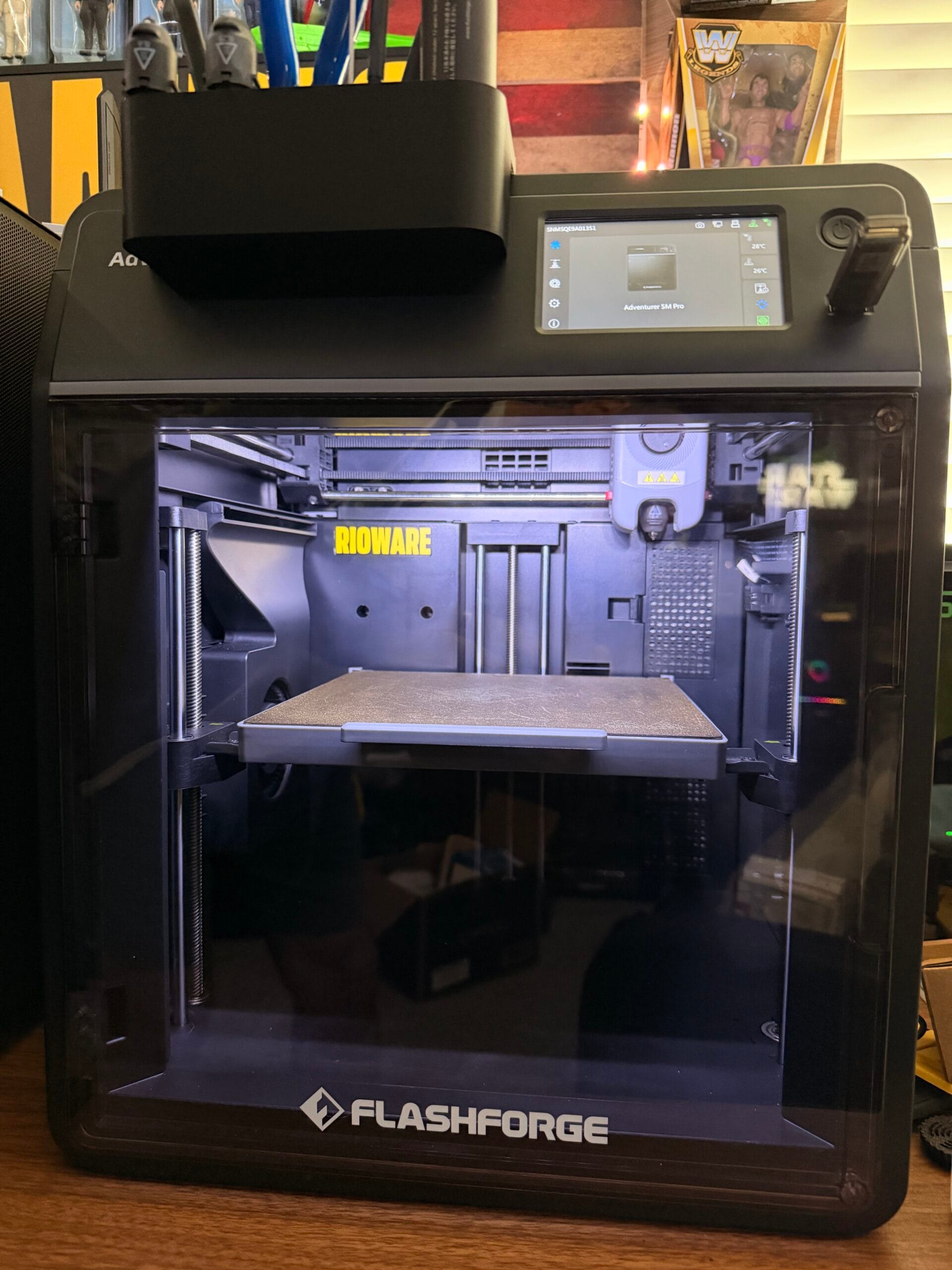
Best Overall 3D Printer for Beginners: FlashForge Adventurer 5M Pro
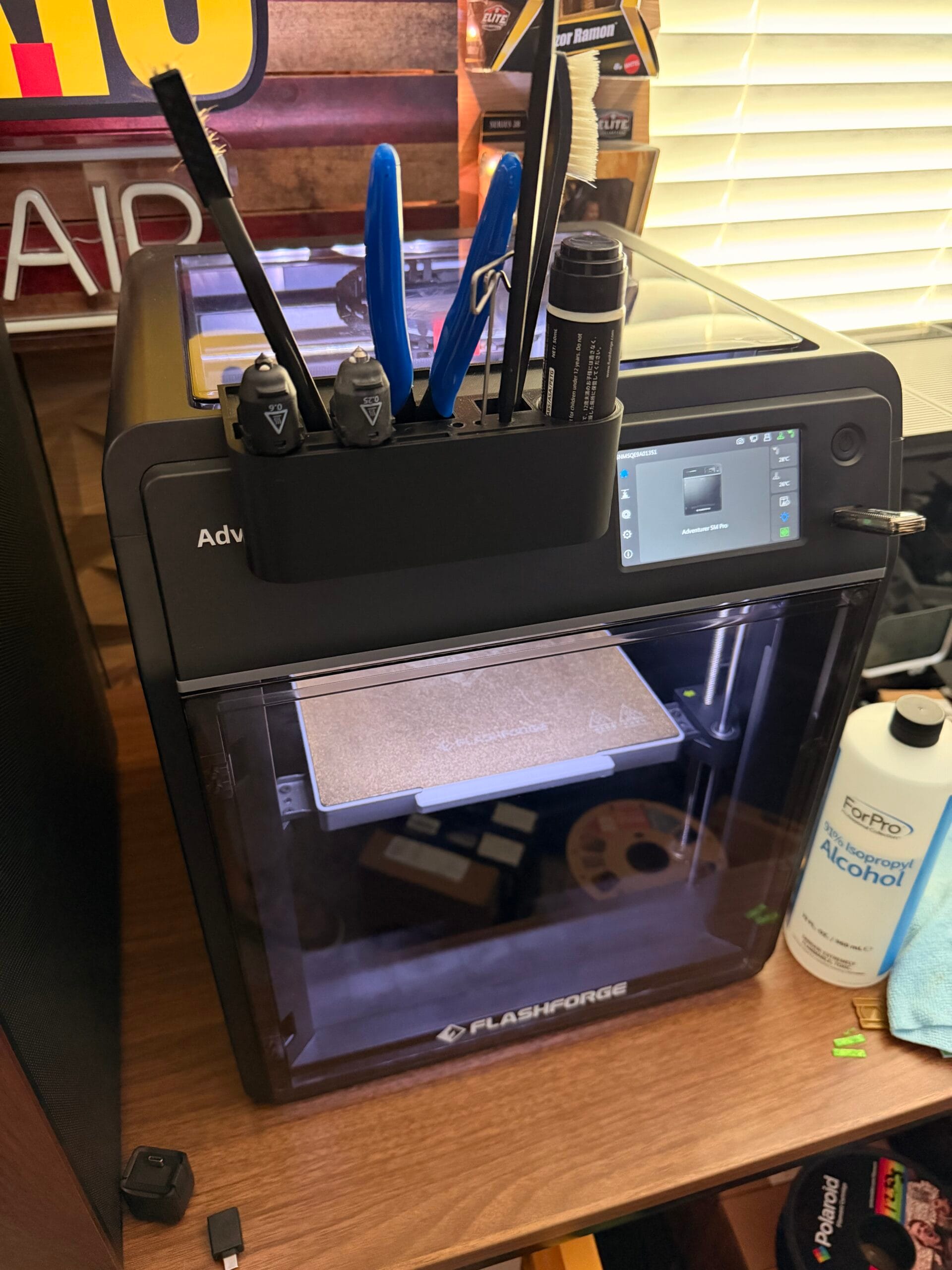
If I could only recommend one 3D printer to a beginner, it would be the FlashForge Adventurer 5M Pro. This is the printer I use daily, and here’s why it’s the best choice for someone just starting out:
Key Features:
- Fully Enclosed Design — The enclosed chamber maintains consistent temperature, reducing warping and print failures.
- Auto-Leveling Build Plate — No more spending 30 minutes manually leveling your print bed.
- 1.75mm Filament Compatibility — Works with PLA, PETG, ABS, TPU, and more.
- 220x200x200mm Build Volume — Large enough for most projects, compact enough for any desk.
- FlashForge Print Center Software — User-friendly slicing software with pre-configured profiles.
- Silent Stepper Drivers — Runs quietly enough to leave in your living room.
Why It Matters for Beginners:
The Adventurer 5M Pro eliminates almost every failure point that causes beginners to quit 3D printing. The enclosed design means you don’t need to buy a separate enclosure. The auto-leveling means you don’t need to learn bed leveling. It just works.
Check current price on Amazon →
Best Budget Pick: Creality Ender 3 V3 SE
At under $200, the Creality Ender 3 V3 SE is the most affordable entry into quality 3D printing. While it’s not enclosed like the FlashForge, it includes auto-leveling, a fast 500mm/s print speed, and a surprisingly reliable direct drive extruder.
Key Features:
- Auto-Leveling — CR-Touch sensor automates bed leveling
- Fast Print Speeds — Up to 500mm/s with dynamic speed adjustment
- 220x220x250mm Build Volume — Slightly larger than the Adventurer 5M Pro
- Direct Drive Extruder — Better for flexible filaments like TPU
- Open-Source Firmware — Huge community support and customization options
Who It’s For:
The Ender 3 V3 SE is perfect for budget-conscious beginners who don’t mind spending a few extra minutes on setup. It’s the printer I’d recommend if you’re under $200 and willing to learn the craft.
Check current price on Amazon →
Best Premium Beginner Printer: Bambu Lab A1 Mini
The Bambu Lab A1 Mini bridges the gap between budget and prosumer printers. Bambu Lab has revolutionized the 3D printing industry with printers that just work out of the box, and the A1 Mini is their most accessible model.
Key Features:
- Multi-Color Printing (with AMS Lite) — Print in 4 colors with the optional AMS Lite accessory
- 250mm/s Standard, 500mm/s Boost — Incredibly fast for a budget printer
- Auto Bed Leveling & Nozzle Cleaning — Fully automated startup and maintenance
- Bambu Studio Slicer — Best-in-class slicing software with AI-powered support detection
- Compact Footprint — Smaller than most competitors
Who It’s For:
The A1 Mini is ideal for beginners who want prosumer-grade reliability without paying prosumer prices. If you plan to get into multi-color printing later, the AMS Lite ecosystem makes this a smart long-term investment.
Check current price on Amazon →
Quick Comparison Table
| Printer | Price | Build Volume | Enclosed | Auto-Level | Best For |
|---|---|---|---|---|---|
| FlashForge Adventurer 5M Pro | ~$449 | 220x200x200mm | Yes | Yes | Best overall for beginners |
| Creality Ender 3 V3 SE | ~$199 | 220x220x250mm | No | Yes | Best budget option |
| Bambu Lab A1 Mini | ~$299 | 180x180x180mm | No | Yes | Best premium features |
What to Look for in Your First 3D Printer
When choosing your first 3D printer, prioritize these factors in this order:
- Reliability over features — A simple printer that works consistently beats a feature-rich printer that fails daily
- Enclosed chamber — Critical for consistent prints, especially with ABS and PETG filaments
- Auto bed leveling — The #1 cause of print failures is improper bed leveling. Auto-leveling eliminates this.
- Community support — More users = more tutorials, troubleshooting guides, and replacement parts
- Software ecosystem — Good slicing software makes the difference between a frustrating hobby and a smooth one
Getting Started Tips
Once you’ve picked your printer, here’s how to avoid the beginner mistakes that cause 90% of print failures:
- Start with PLA filament — It’s the easiest to print, smells sweet (not toxic), and produces the most reliable results
- Store filament in a dry place — Moisture is the enemy of 3D printing. Consider a filament dryer like the SUNLU S4 Filament Dryer
- Use the right bed adhesion — PEI build plates work great, but a thin coat of glue stick helps with the first layer
- Don’t skip the first layer — If the first layer looks good, the print will likely succeed. If it doesn’t, stop and fix it before continuing
Final Recommendation
For most beginners in 2026, the FlashForge Adventurer 5M Pro is the best first 3D printer. It’s enclosed, auto-leveling, reliable, and produces professional-quality prints right out of the box. It’s the printer I use daily, and it’s the one I recommend to everyone starting their 3D printing journey.
If you’re on a tighter budget, the Creality Ender 3 V3 SE at under $200 is an excellent entry point. And if you want premium features with a smoother experience, the Bambu Lab A1 Mini is worth the extra investment.
Ideal for beginners, hobbyists, and makers who want a reliable 3D printer that produces consistent results without the learning curve.
Affiliate Disclosure: As an Amazon Associate, I earn from qualifying purchases. This post contains affiliate links. If you click through and make a purchase, I may earn a small commission at no extra cost to you.
Shop curated picks on RIOWARE
Want the short path from research to purchase? Browse the products and accessories we curate for practical performance, compatibility, and everyday reliability.
Disclosure: RIOWARE participates in affiliate programs. Prices and availability are confirmed on Amazon at checkout.